Git commands
What detached HEAD means after you git checkout a commit
git checkout <commit>: stepping off your branch into detached HEAD
How to use this page
- sliderDrag it to move the graph from before the command to after it.
- ▶ / ❚❚Play or pause the command, start to finish, on a loop.
- Before · AfterJump straight to either end.
- ← → · spaceStep through a multi-step command; space toggles Before / After.
- APlay or pause from the keyboard (the page opens playing). Any manual input takes over.
- hoverA commit shows its message, author, date and parents, with its history highlighted.
- clickCopies the commit sha.
- ctrl + wheelZoom around the cursor (pinch on a trackpad). Double-click resets the view.
- EscStop playback, reset the view, close this menu.
- shareThe Share button copies a link to this graph, copies it as an image, downloads PNG/SVG/page, or posts it. #before, #after or #step=N in the link pins the state.
The Animated Git Cheat SheetFree · Customize it · Download it · Print it
git-sim visually simulates any Git command in your own repos - from your terminal, IDE, or AI.
Table of Contents
- Introduction
- What is detached HEAD?
- Watch it happen
- Before and after
- Reading the warning
- Commits made while detached
- Is it safe?
- How to undo it
- Try it on your repository
- Common questions
- Summary
- Next steps
- Related commands
Introduction
If you've ever run git checkout with a commit hash to see what the code looked like last week, you've probably been greeted by a wall of text about being in "detached HEAD" state. It sounds alarming. It isn't, but there's one situation where it can cost you work, and it's worth knowing which one.
In this article, we'll:
- Watch
git checkout 96c4fc2moveHEADoffmainand onto an older commit - Read the warning Git prints, line by line
- Cover what happens to commits you make while detached, and how to get them back if you walk away from them
What is detached HEAD?
Normally .git/HEAD holds the name of a branch, ref: refs/heads/main, and the branch holds the commit hash. That's what "being on a branch" means. Detached HEAD is when .git/HEAD holds a commit hash directly, with no branch in between. (I wrote a whole article on what HEAD is if you want the background.)
git checkout <commit> puts you there. Anything that isn't a local branch name does the same: a hash, a tag like v1.0, a remote-tracking branch like origin/main, or an expression like HEAD~2. Git updates your files to match that commit, and moves HEAD without moving any branch.
Watch it happen
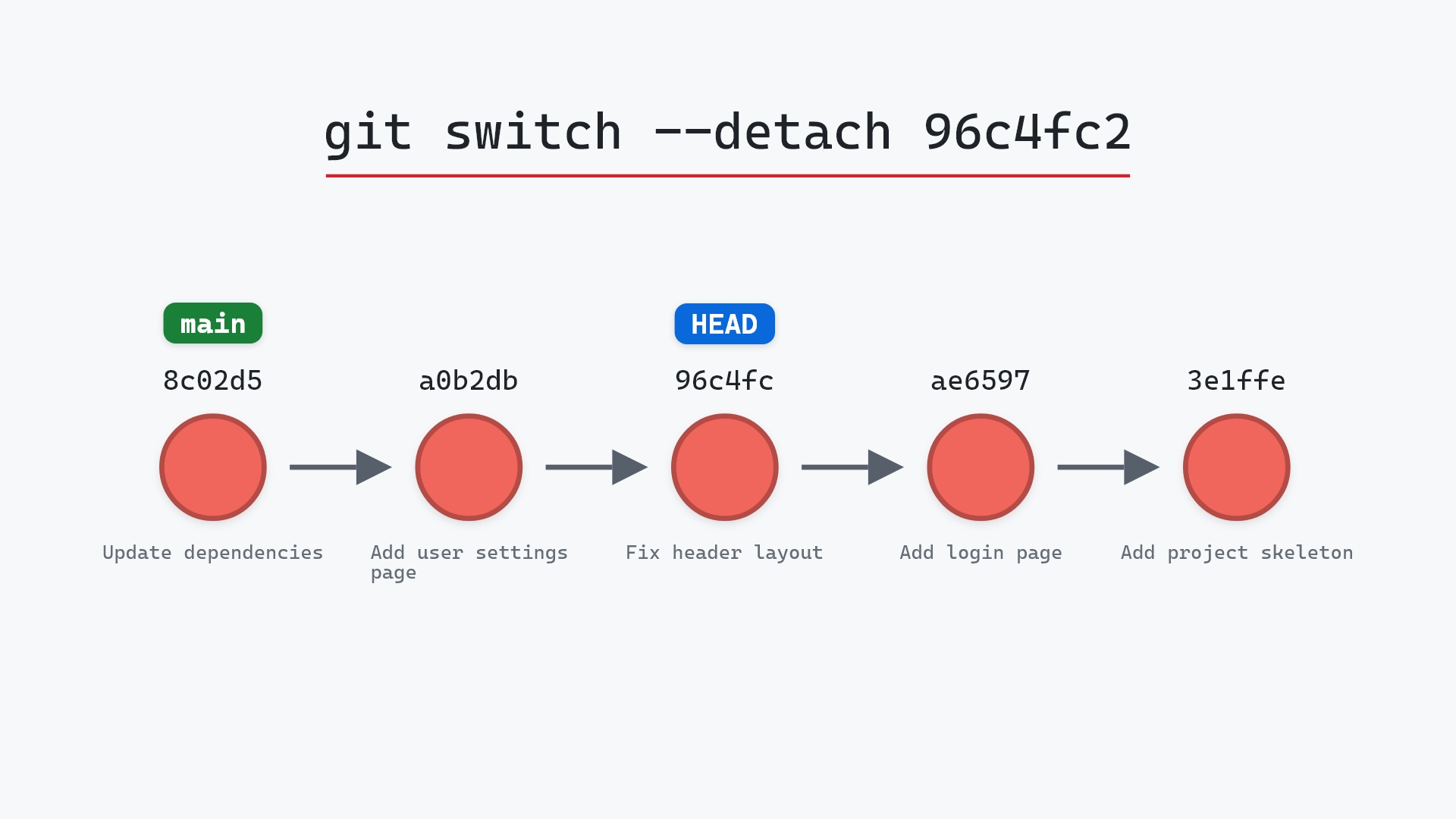
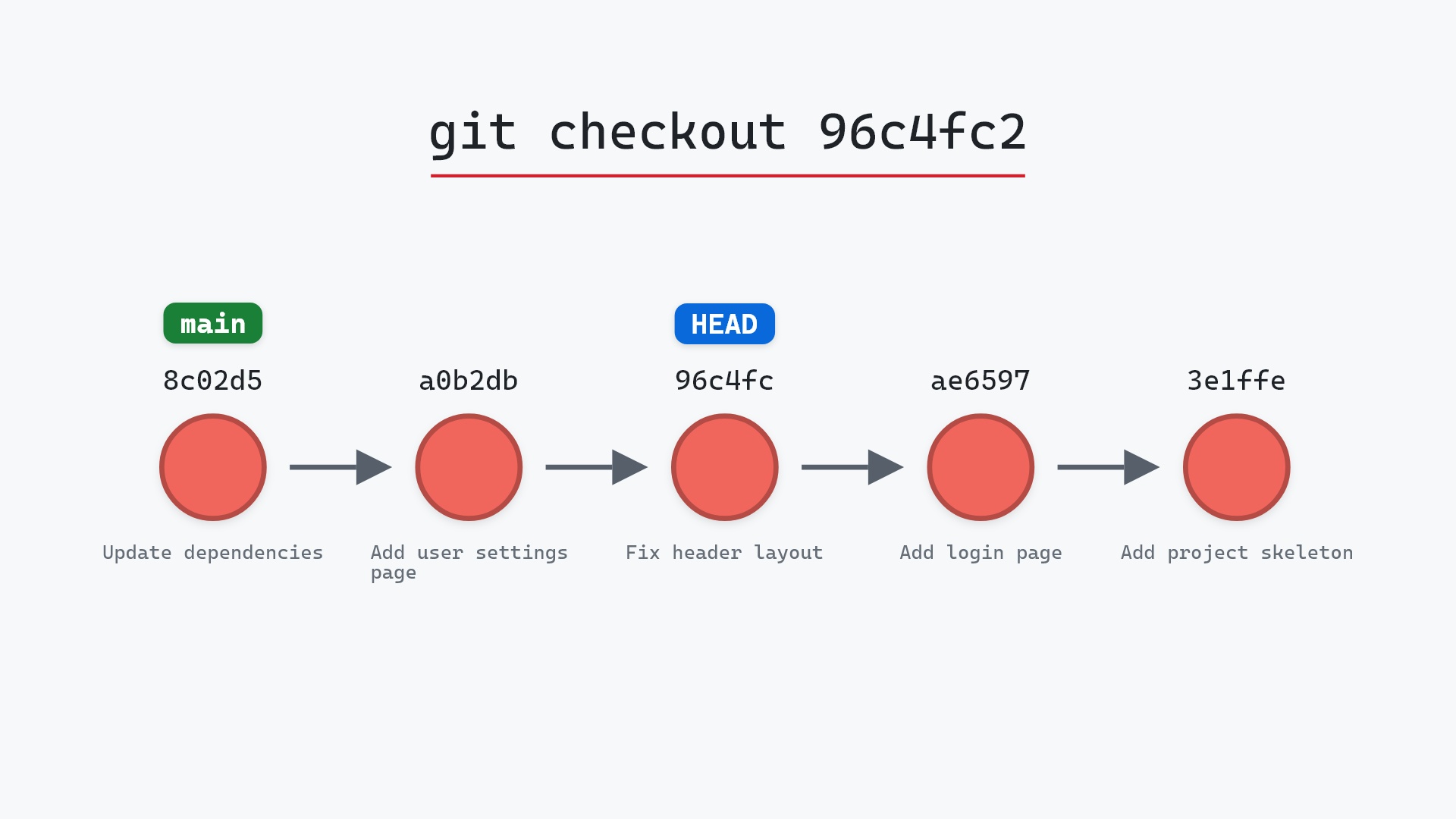
Our sample repo has main checked out; an older commit to look at. HEAD is on main at 8c02d5b, "Update dependencies", and we want to look at 96c4fc2, "Fix header layout", from two commits back. Here's git checkout 96c4fc2:
- Before:
HEADis attached tomainat8c02d5b. - Git detaches
HEADand points it directly at96c4fc2. mainstays on8c02d5b. No commits between them, includinga0b2db3, "Add user settings page", are created or deleted.
That gap between the two labels is detached HEAD. You're looking at 96c4fc2, and no branch is pointing there with you.
Before and after
In the after graph, HEAD is a label of its own on 96c4fc2 instead of riding along with main. git status now reports HEAD (no branch) where it used to say main. Your files on disk match "Fix header layout", so the settings page from a0b2db3 isn't there.
The raw git output, if you want to read along in text
git log --oneline --graph --all
before
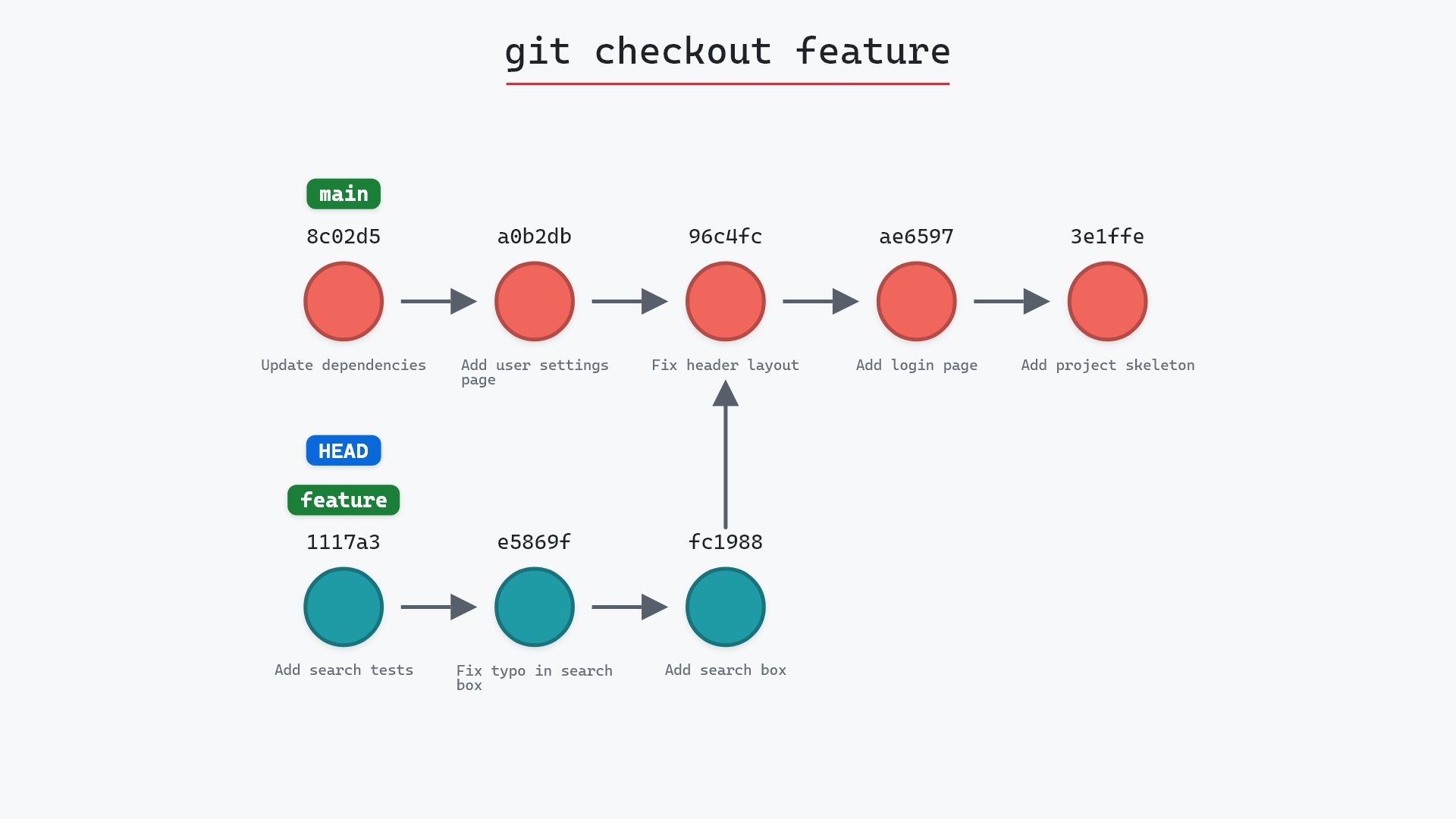
* 1117a34 (feature) Add search tests
* e5869f0 Fix typo in search box
* fc19889 Add search box
| * 8c02d5b (HEAD -> main) Update dependencies
| * a0b2db3 Add user settings page
|/
* 96c4fc2 Fix header layout
* ae65976 Add login page
* 3e1ffe4 Add project skeleton
* 4114b2c Initial commit
after
* 1117a34 (feature) Add search tests
* e5869f0 Fix typo in search box
* fc19889 Add search box
| * 8c02d5b (main) Update dependencies
| * a0b2db3 Add user settings page
|/
* 96c4fc2 (HEAD) Fix header layout
* ae65976 Add login page
* 3e1ffe4 Add project skeleton
* 4114b2c Initial commit
what git printed
Note: switching to '96c4fc2'.
You are in 'detached HEAD' state. You can look around, make experimental
changes and commit them, and you can discard any commits you make in this
state without impacting any branches by switching back to a branch.
If you want to create a new branch to retain commits you create, you may
do so (now or later) by using -c with the switch command. Example:
git switch -c <new-branch-name>
Or undo this operation with:
git switch -
Turn off this advice by setting config variable advice.detachedHead to false
HEAD is now at 96c4fc2 Fix header layout
Reading the warning
That long message is Git's advice.detachedHead text. checkout prints it because it can't tell whether you meant to detach. Maybe you typed a hash on purpose, or maybe you expected a branch and got a tag. The message says three things:
- You can look around and even commit, and nothing on any branch will change.
- If you make commits you want to keep, give them a branch with
git switch -c <new-branch-name>. git switch -takes you back to where you were.
Notice that the advice is written in terms of git switch, even though we typed checkout. Since Git 2.23 the newer commands are what Git recommends, and git switch --detach is the explicit way to do what we just did. switch makes you say --detach out loud, and in return it skips the lecture.
Commits made while detached
This is the part that can bite. Say you're on 96c4fc2, you make a quick fix and commit it. The new commit's parent is 96c4fc2, and HEAD moves to it. No branch moves, because you aren't on one.
Now git checkout main. Git warns you that you're "leaving 1 commit behind, not connected to any of your branches" and prints its hash. After that, nothing points at the commit. It hasn't been deleted, but it's orphaned: git log won't show it, and garbage collection will eventually remove it.
To keep it, either create a branch before you leave:
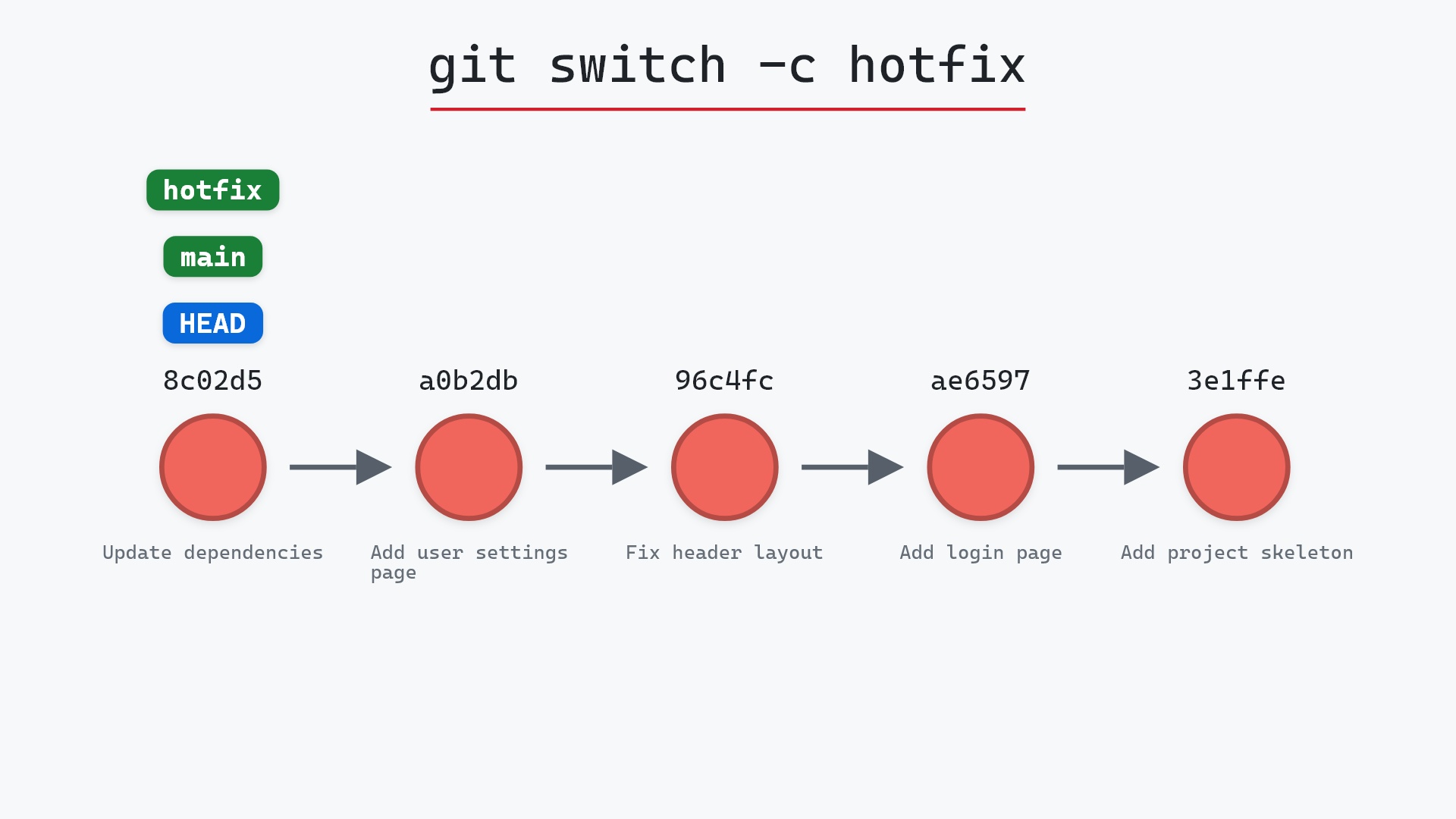
git switch -c header-fix
or, if you've already left, find the hash and put a branch on it:
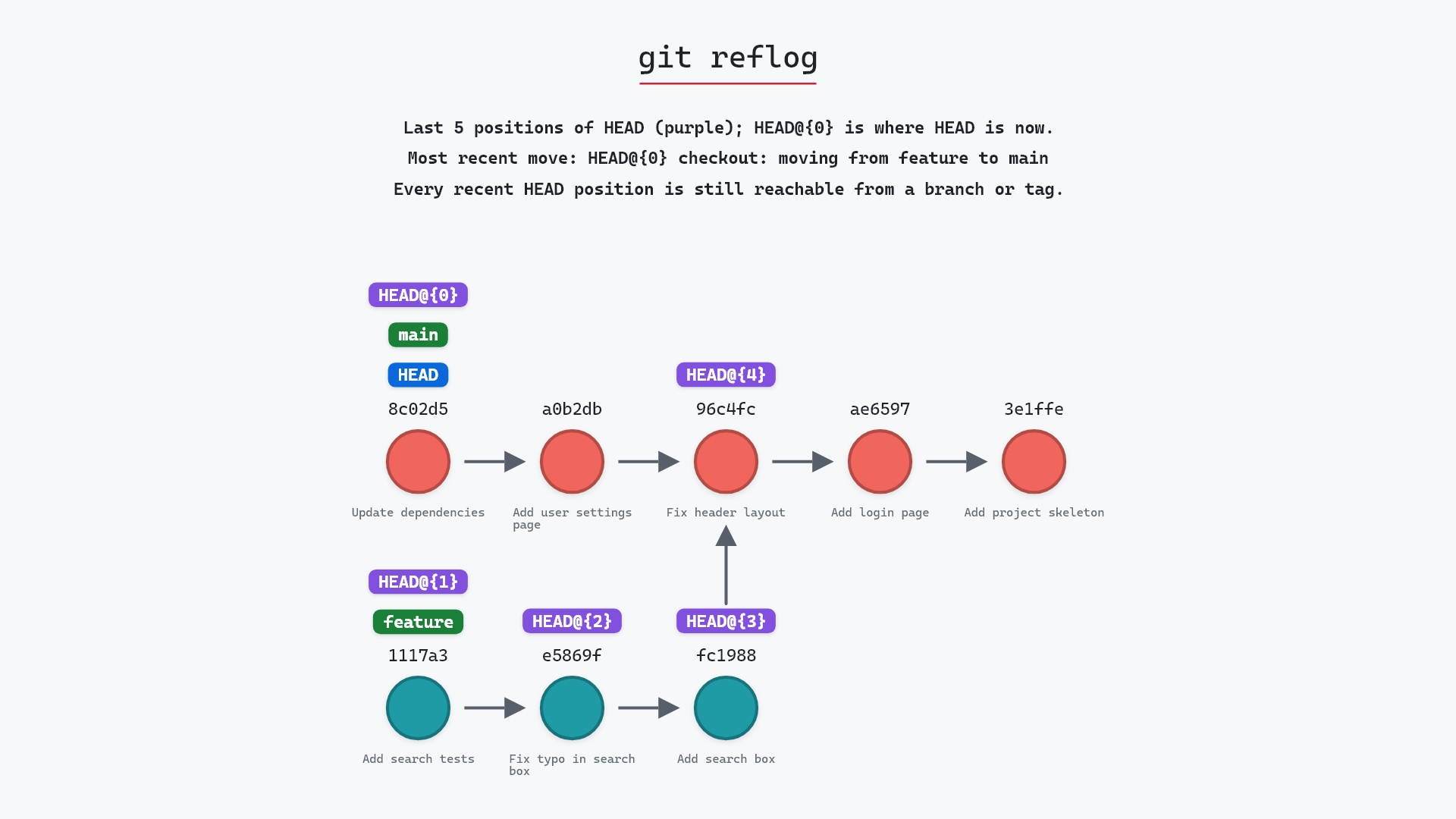
git reflog
git branch header-fix <sha>
git reflog lists every commit HEAD has pointed at, including your detached one. Entries for commits that no branch reaches are kept for 30 days by default.
HEAD drawn as a separate label from main, and see it pull away from the branch when you check out a hash, "detached" stops sounding like an error and starts sounding like a description. That's a big part of why git-sim draws HEAD as its own label instead of just highlighting the current commit.
Is it safe?
Safe git-sim pre-flight
Switches to '96c4fc2'.
Checking out a commit is as safe as switching branches: it refuses if uncommitted changes would be overwritten, and it never moves a branch. The only risk is later, if you commit while detached and then switch away without giving those commits a branch.
How to undo it
git checkout main
or git checkout - (or git switch -) to go back to the branch you were on.
Try it on your repository
pip install git-sim
git-sim checkout 96c4fc2
git-sim draws HEAD separating from your branch before you run anything, which makes it easy to confirm you're about to detach rather than switch.
Common questions
What does detached HEAD mean?
HEAD points directly at a commit instead of at a branch. You can look around and commit, but no branch follows your new commits.
How do I get out of detached HEAD?
Switch to a branch: git checkout main, git switch main, or git switch - to go back where you were. If you made commits you want to keep, run git switch -c <name> first.
How do I recover commits I made in detached HEAD?
Find the hash in git reflog (or in the warning Git printed when you switched away), then run git branch <name> <sha>.
Why does checking out a tag or origin/main detach HEAD?
Because only local branches can be "on". A tag never moves and a remote-tracking branch only moves when you fetch, so committing on top of either wouldn't update it. Git points HEAD at the commit instead.
Summary
In this article, we watched git checkout 96c4fc2 pull HEAD away from main onto an older commit, read through the detached HEAD warning, and covered how commits made there get orphaned and how to rescue them with a branch or the reflog.
Next steps
git switch --detach does the same move with the newer command, and git reflog is the safety net for anything you left behind.
Related commands
- git switch --detach, the explicit way to detach
- git checkout, checking out a branch instead of a commit
- git reflog, to find commits you walked away from
- git switch -c, to put a branch on where you are
- git tag, checking one out detaches
HEADtoo - git log, to pick the commit to visit
Get Git command tips by email, starting with git checkout <commit>.