Git commands
What git remote add writes, and why nothing downloads yet
git remote add: a nickname for another repository
How to use this page
- sliderDrag it to move the graph from before the command to after it.
- ▶ / ❚❚Play or pause the command, start to finish, on a loop.
- Before · AfterJump straight to either end.
- ← → · spaceStep through a multi-step command; space toggles Before / After.
- APlay or pause from the keyboard (the page opens playing). Any manual input takes over.
- hoverA commit shows its message, author, date and parents, with its history highlighted.
- clickCopies the commit sha.
- ctrl + wheelZoom around the cursor (pinch on a trackpad). Double-click resets the view.
- EscStop playback, reset the view, close this menu.
- shareThe Share button copies a link to this graph, copies it as an image, downloads PNG/SVG/page, or posts it. #before, #after or #step=N in the link pins the state.
The Animated Git Cheat SheetFree · Customize it · Download it · Print it
git-sim visually simulates any Git command in your own repos - from your terminal, IDE, or AI.
Table of Contents
- Introduction
- What is git remote add?
- Watch it happen
- Before and after
- Fetching from the new remote
- Is it safe?
- Useful forms
- How to undo it
- Try it on your repository
- Common questions
- Summary
- Next steps
- Related commands
Introduction
If you've forked a project on GitHub, or created a repository locally with git init and now want it on a server, you've probably been told to run git remote add. It's one of the quieter Git commands: it prints nothing, downloads nothing and doesn't touch your commits. It just gives another repository a name, so you can say upstream instead of typing a URL every time.
In this article, we'll:
- Watch
git remote addregister a second remote in a clone - See the two lines it writes to
.git/config, and why the commit graph doesn't change - Cover fetching from the new remote and managing remotes afterward
What is git remote add?
git remote add <name> <url> records a remote, a named reference to another repository, in the current repository's config. It writes two settings: remote.<name>.url, the address, and remote.<name>.fetch, a refspec that says where that remote's branches should land locally (under refs/remotes/<name>/). It doesn't contact the other repository at all.
Watch it happen
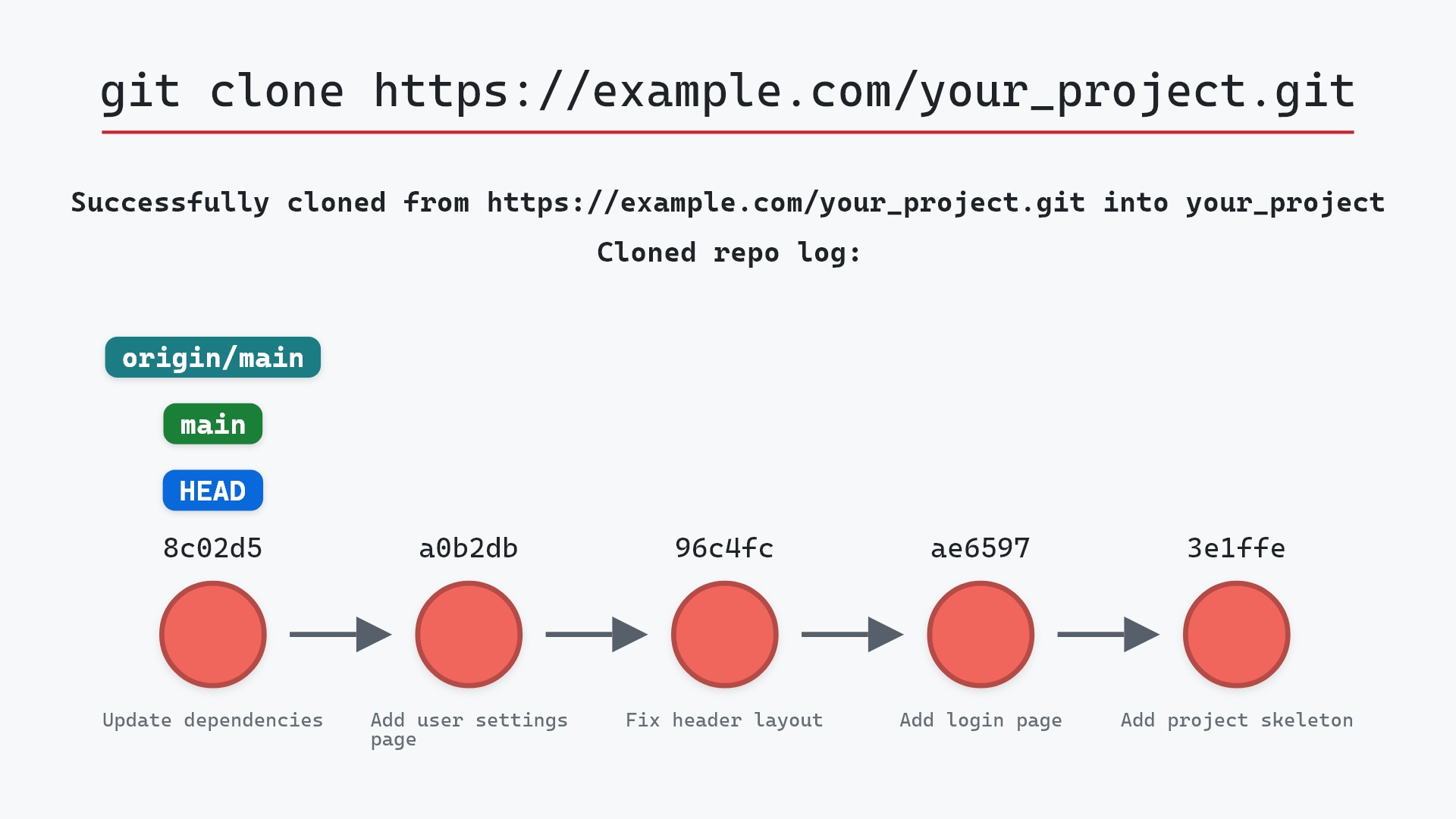
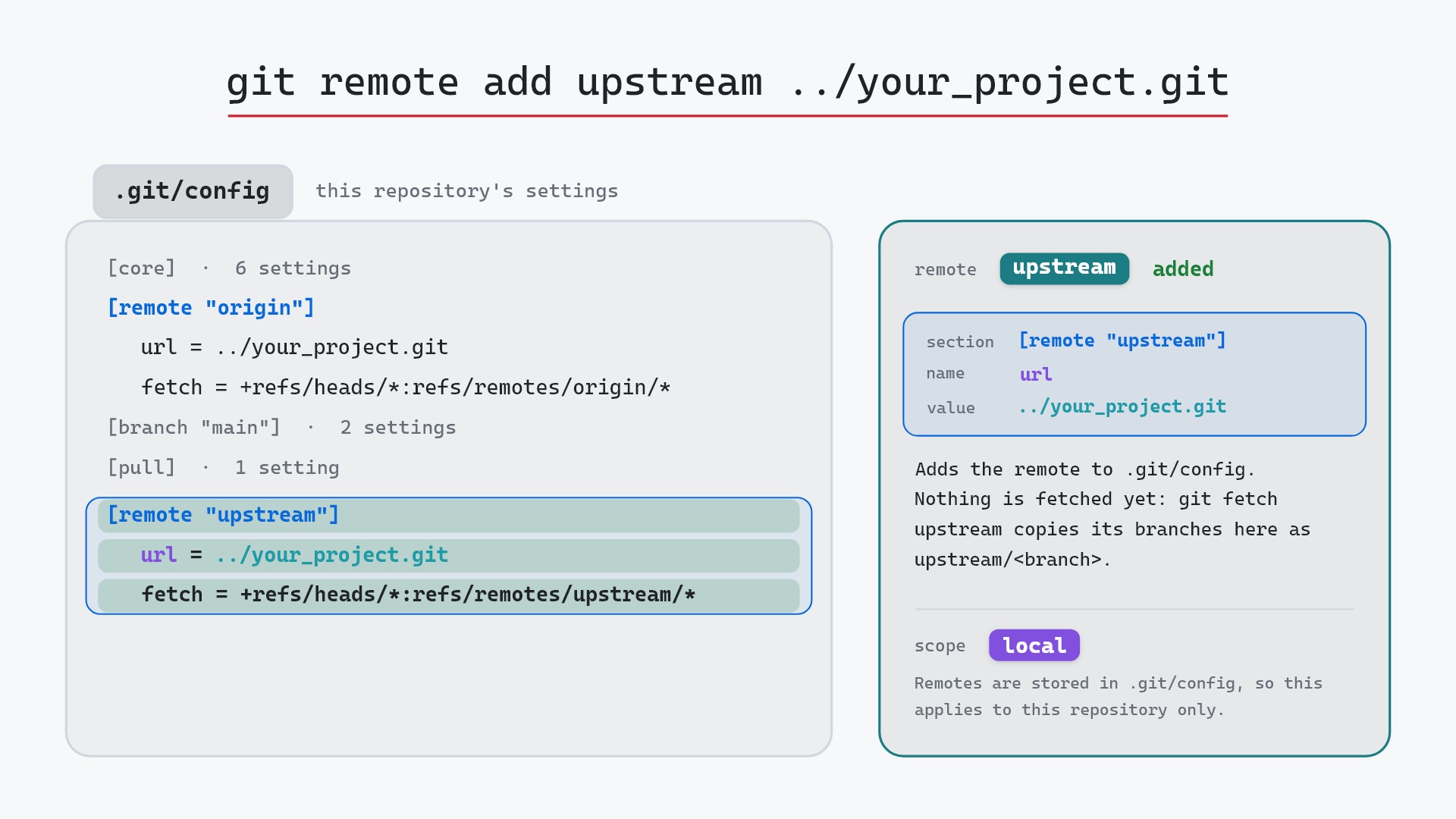
Our sample repo is a clone with origin already set up. Here's git remote add upstream ../your_project.git:
- Before:
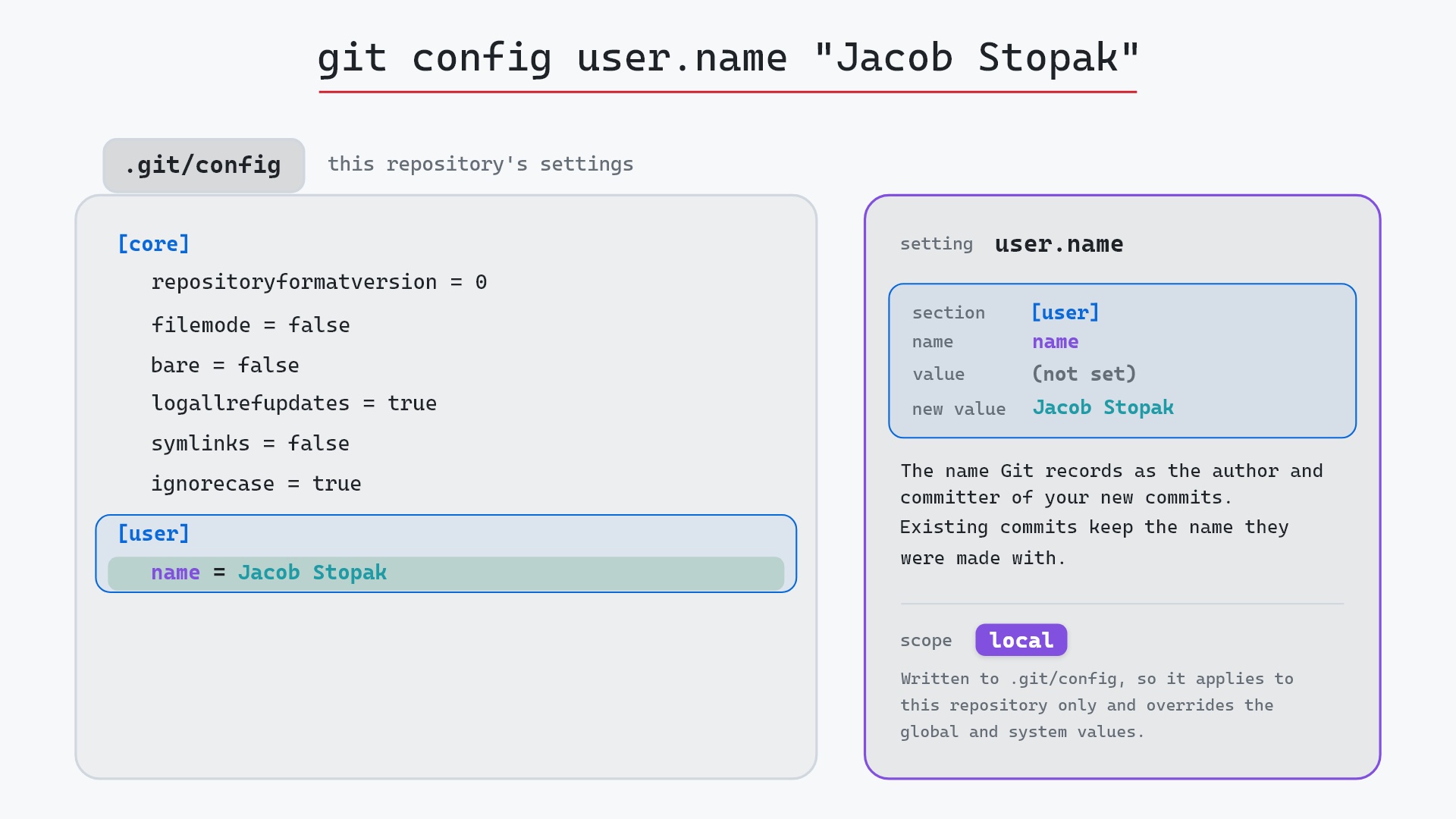
.git/confighas the[core]settings, the[remote "origin"]section thatgit clonewrote (withurl = ../your_project.git), the[branch "main"]tracking settings and a[pull]setting. - Git adds a
[remote "upstream"]section at the bottom of.git/config, in the local scope, withurl = ../your_project.gitandfetch = +refs/heads/*:refs/remotes/upstream/*. - Nothing has been fetched from
upstreamyet, so there are noupstream/<branch>remote-tracking branches.git fetch upstreamis what creates them.
(For the sake of a small example, upstream points at the same ../your_project.git as origin. In real life it would be a different repository, typically the original project you forked from.)
Before and after
The graphs match exactly. HEAD and main are still on 8c02d5b "Update dependencies" with origin/main, feature and origin/feature are still on 1117a34 "Add search tests", and there's no upstream/main anywhere yet. git status still reports ## main...origin/main. All remote add changed was the config file.
The raw git output, if you want to read along in text
git log --oneline --graph --all
before
* 1117a34 (origin/feature, feature) Add search tests
* e5869f0 Fix typo in search box
* fc19889 Add search box
| * 8c02d5b (HEAD -> main, origin/main, origin/HEAD) Update dependencies
| * a0b2db3 Add user settings page
|/
* 96c4fc2 Fix header layout
* ae65976 Add login page
* 3e1ffe4 Add project skeleton
* 4114b2c Initial commit
after
* 1117a34 (origin/feature, feature) Add search tests
* e5869f0 Fix typo in search box
* fc19889 Add search box
| * 8c02d5b (HEAD -> main, origin/main, origin/HEAD) Update dependencies
| * a0b2db3 Add user settings page
|/
* 96c4fc2 Fix header layout
* ae65976 Add login page
* 3e1ffe4 Add project skeleton
* 4114b2c Initial commit
Fetching from the new remote
To actually get the other repository's branches, fetch them:
git fetch upstream
That creates upstream/main and upstream/feature as remote-tracking branches (here, on the same commits as origin/main and origin/feature, since both remotes are the same repository). From there you can merge or rebase onto upstream/main like any other branch, or create a local branch from one with git switch -c <name> upstream/<branch>. If you want the fetch to happen right away, git remote add -f upstream <url> does both in one command.
Note the name upstream is only a convention here. It's unrelated to a branch's upstream, the remote branch it tracks for git pull and git push, which is what git push -u sets. The same word gets used for both, which confuses everyone at some point.
git branch -a doesn't fill up with other people's branches.
Is it safe?
Safe git-sim pre-flight
'remote add' edits .git/config; no history or files change.
Adding a remote writes two lines of config and nothing else. Git doesn't even check that the URL works, so a typo only shows up when you first fetch or push. If a remote with that name already exists, Git refuses with error: remote upstream already exists.
Useful forms
git remote -vlists every remote with its fetch and push URLs.git remote add origin <url>is the usual first step aftergit init, followed bygit push -u origin main.git remote add -f <name> <url>adds and fetches in one go.git remote add -t <branch> <name> <url>sets the refspec to fetch only that branch.git remote set-url <name> <new-url>changes the address, for example when switching from HTTPS to SSH.git remote rename <old> <new>renames a remote and its remote-tracking branches.git remote show <name>contacts the remote and summarizes its branches and how they relate to yours.
How to undo it
git remote remove upstream
(git remote rm is the same command.) It deletes the [remote "upstream"] section, any upstream/* remote-tracking branches you fetched, and any branch tracking settings that pointed at it. Your own branches and commits are untouched.
Try it on your repository
pip install git-sim
git-sim remote add upstream ../your_project.git
git-sim draws your .git/config with the new remote's lines highlighted, without writing them.
Common questions
What does git remote add do?
It saves a name and URL for another repository in .git/config, along with a fetch refspec that says where its branches go locally. It doesn't download anything.
What is the difference between origin and upstream?
Both are just names. origin is the one git clone creates for the repository you cloned from. upstream is the name people usually give the original project when origin is their fork.
How do I change a remote's URL?
git remote set-url <name> <new-url>. Check the result with git remote -v.
Why don't I see the remote's branches after git remote add?
Because nothing has been fetched yet. Run git fetch <name>, then git branch -r lists them as <name>/<branch>.
Summary
In this article, we watched git remote add upstream ../your_project.git add a [remote "upstream"] section to .git/config while the commit graph stayed as it was, then covered fetching from the new remote, the two meanings of "upstream", and the commands for managing remotes.
Next steps
git fetch is the step that brings the new remote's commits in, and git push -u is how you publish a branch to it. git config covers the file this command edits.
Related commands
- git fetch, to download the remote's branches
- git pull, to fetch and merge from it
- git push -u, to publish a branch and track it
- git clone, which adds
originfor you - git init, the usual step before adding the first remote
- git config, for the file the remote is stored in
Get Git command tips by email, starting with git remote add.