Git commands
What git worktree remove deletes, and when it refuses
git worktree remove: putting the second directory away
How to use this page
- sliderDrag it to move the graph from before the command to after it.
- ▶ / ❚❚Play or pause the command, start to finish, on a loop.
- Before · AfterJump straight to either end.
- ← → · spaceStep through a multi-step command; space toggles Before / After.
- APlay or pause from the keyboard (the page opens playing). Any manual input takes over.
- hoverA commit shows its message, author, date and parents, with its history highlighted.
- clickCopies the commit sha.
- ctrl + wheelZoom around the cursor (pinch on a trackpad). Double-click resets the view.
- EscStop playback, reset the view, close this menu.
- shareThe Share button copies a link to this graph, copies it as an image, downloads PNG/SVG/page, or posts it. #before, #after or #step=N in the link pins the state.
The Animated Git Cheat SheetFree · Customize it · Download it · Print it
git-sim visually simulates any Git command in your own repos - from your terminal, IDE, or AI.
Table of Contents
- Introduction
- What is git worktree remove?
- Watch it happen
- Before and after
- When it refuses
- Deleted the folder by hand?
- Is it safe?
- How to undo it
- Try it on your repository
- Common questions
- Summary
- Next steps
- Related commands
Introduction
If you've been using git worktree add to keep a second branch checked out next to your main one, sooner or later you'll be done with it. You could just delete the folder, but then Git keeps a record of a worktree that no longer exists. git worktree remove takes the directory and the record away together, and checks for uncommitted work before it does.
In this article, we'll:
- Watch
git worktree removetake down a clean worktree that hasfeaturechecked out - See that the branch and its commits are left alone
- Cover what makes Git refuse,
--force, and cleaning up after a folder you deleted by hand
What is git worktree remove?
git worktree remove <path> deletes a linked worktree's directory and its bookkeeping under .git/worktrees/<name>. The branch that was checked out there stays, with every commit on it, because branches and commits live in the shared repository, not in the worktree.
Git only removes a clean worktree, meaning no modified tracked files and no untracked files. Otherwise it stops with an error that the worktree "contains modified or untracked files, use --force to delete it". You also can't remove the main worktree, the one that holds the .git directory.
Watch it happen
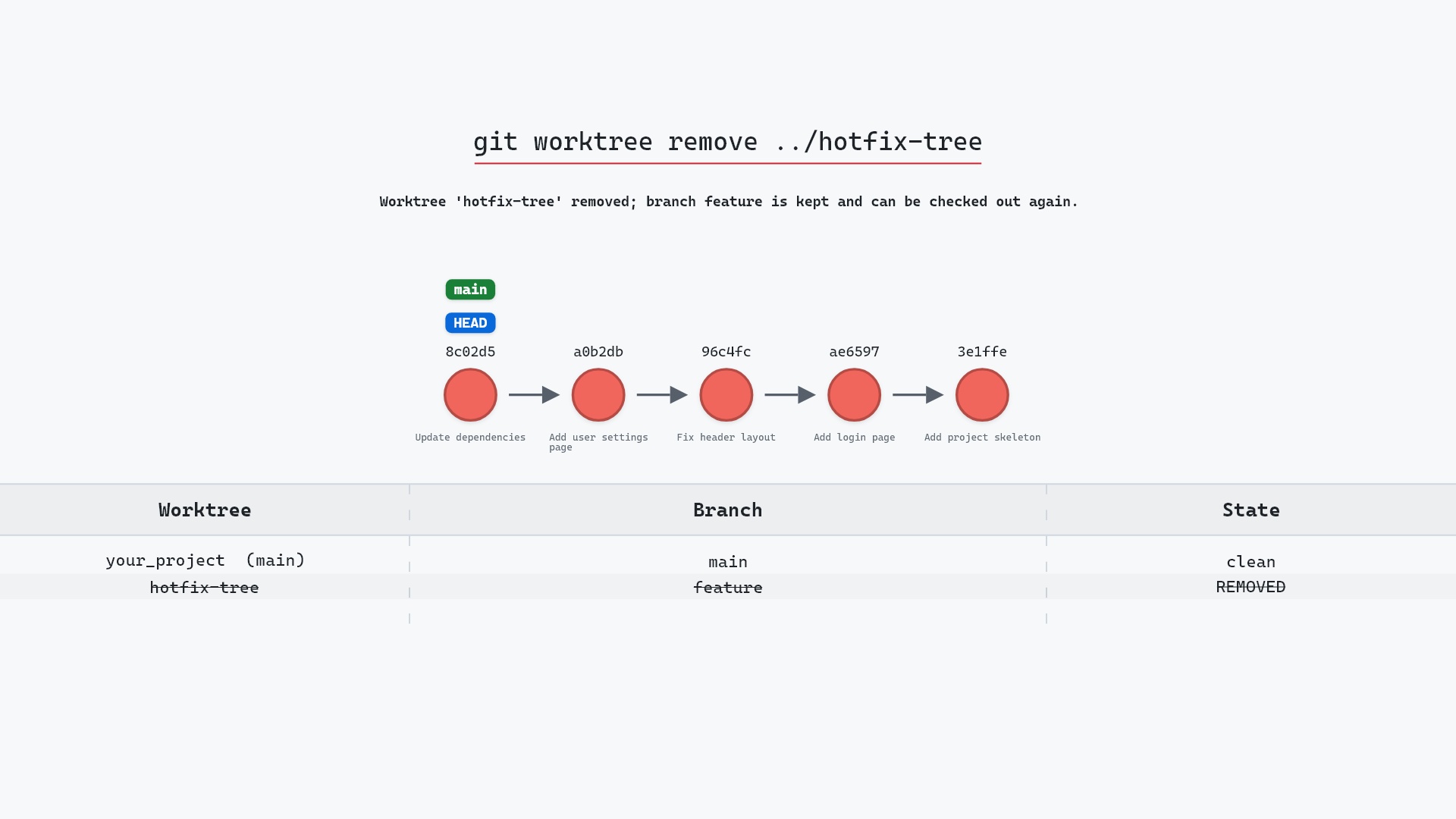
Our sample repo has a second working directory with feature checked out, created earlier with git worktree add ../hotfix-tree feature. The main worktree, your_project, has main checked out at 8c02d5b, "Update dependencies". Here's git worktree remove ../hotfix-tree, run from your_project:
- Before: the repository has two worktrees,
your_projectonmainandhotfix-treeonfeature.hotfix-treehas no uncommitted changes, so it can be removed. - Git deletes the
hotfix-treeworktree. Thefeaturebranch is kept and can be checked out again. - No commits or branches change.
HEADandmainstay on8c02d5b.
Before and after
The two graphs are identical. feature still points at 1117a34, "Add search tests", and git status in your_project still says main. What changed is on disk: ../hotfix-tree is gone, and git worktree list now shows one entry instead of two. Git prints nothing when the removal succeeds:
The raw git output, if you want to read along in text
git log --oneline --graph --all
before
* 1117a34 (feature) Add search tests
* e5869f0 Fix typo in search box
* fc19889 Add search box
| * 8c02d5b (HEAD -> main) Update dependencies
| * a0b2db3 Add user settings page
|/
* 96c4fc2 Fix header layout
* ae65976 Add login page
* 3e1ffe4 Add project skeleton
* 4114b2c Initial commit
after
* 1117a34 (feature) Add search tests
* e5869f0 Fix typo in search box
* fc19889 Add search box
| * 8c02d5b (HEAD -> main) Update dependencies
| * a0b2db3 Add user settings page
|/
* 96c4fc2 Fix header layout
* ae65976 Add login page
* 3e1ffe4 Add project skeleton
* 4114b2c Initial commit
When it refuses
If hotfix-tree had an edited file or a new untracked one, Git would refuse and leave everything in place. You then have three choices, the same ones you'd have before switching branches: commit the work (it lands on feature, which outlives the worktree), stash it, or throw it away with:
git worktree remove --force ../hotfix-tree
--force deletes the uncommitted changes along with the directory, and there's no undo for them. A worktree you've protected with git worktree lock needs --force twice (-f -f).
One more case to watch for: a worktree on a detached HEAD. Commits made there belong to no branch, and the worktree's own HEAD and reflog go away with it, so give them a branch (git switch -c <name> inside the worktree) before you remove it.
rm -rf approach more often than I'd like to admit. The first sign is usually git branch -d feature failing because Git still believes feature is checked out in a worktree that no longer exists on disk. git worktree prune clears that up, but git worktree remove would have avoided it in the first place.
Deleted the folder by hand?
If the directory is already gone, Git's registration under .git/worktrees/ is left over. git worktree list marks it as prunable, and the branch it had stays "checked out", which blocks deleting it or checking it out elsewhere. Clean up with:
git worktree prune
Add -n to see what it would prune first. The git worktree documentation covers its other options, like --expire.
Is it safe?
Safe git-sim pre-flight
Removes worktree 'hotfix-tree' (C:/gsref/git_worktree_remove_56/hotfix-tree); it is clean, and branch feature stays.
The way back
Re-create it with: git worktree add C:/gsref/git_worktree_remove_56/hotfix-tree feature
Removing a clean worktree loses nothing, since everything that matters is in the shared repository. The risk is --force on a worktree with uncommitted changes, which deletes them for good.
How to undo it
Put the worktree back:
git worktree add ../hotfix-tree feature
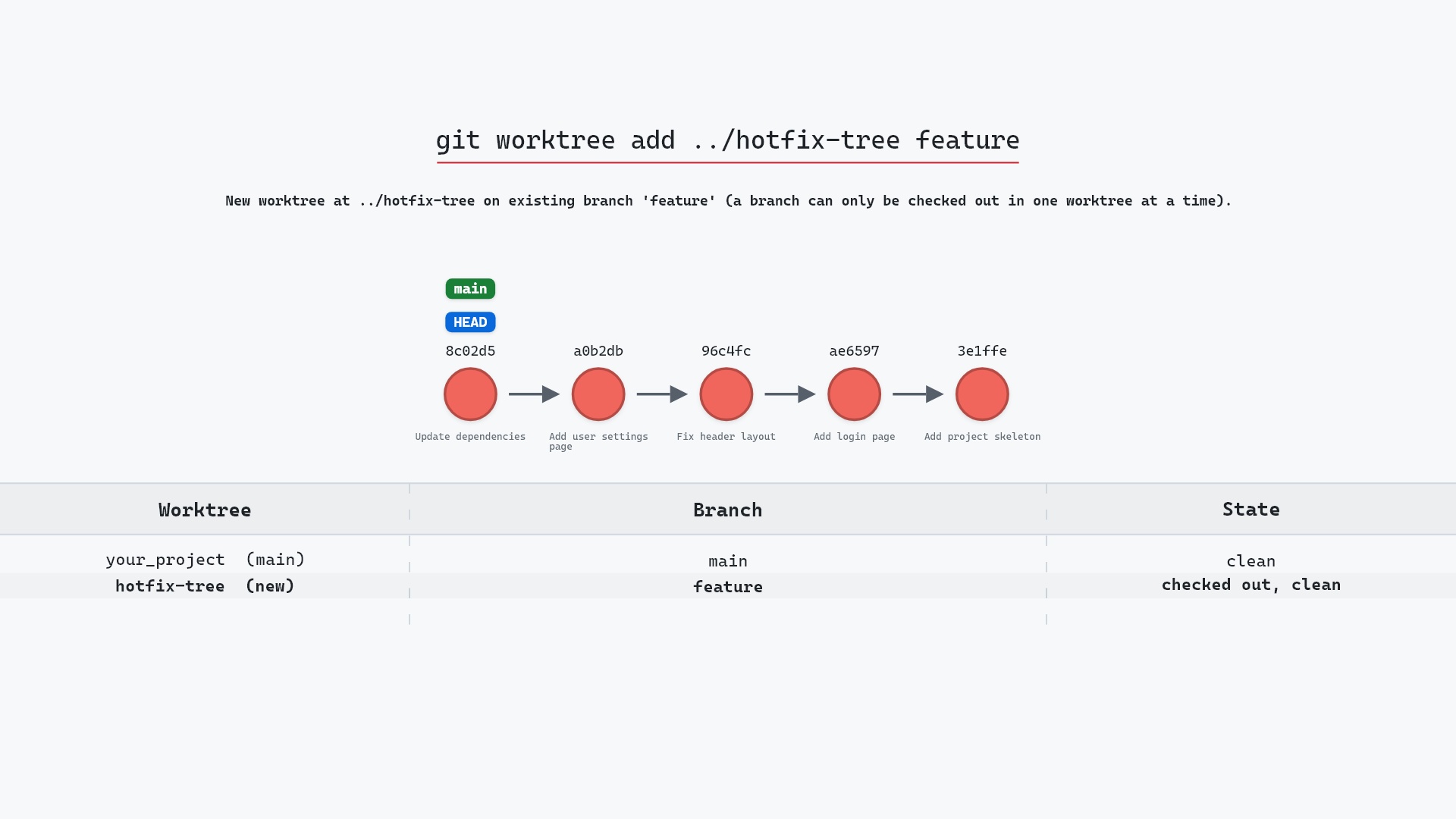
That's exactly the command from the git worktree add page, drawn here:
Try it on your repository
pip install git-sim
git-sim worktree remove ../hotfix-tree
git-sim lists your worktrees, says whether the one you named is clean, and flags the uncommitted changes --force would destroy, all without removing anything.
Common questions
Does git worktree remove delete the branch?
No. It removes the directory and the registration. The branch and its commits stay in the repository, and git branch -d <branch> is a separate step if you want it gone too.
Why does git worktree remove say the worktree contains modified or untracked files?
Because it only removes clean worktrees. Commit or stash the changes inside the worktree, or add --force to delete them along with it.
What is the difference between git worktree remove and git worktree prune?
remove deletes a worktree's directory and its registration. prune only cleans up registrations whose directory is already gone.
Can I delete a worktree folder manually?
You can, but Git will think the worktree still exists until you run git worktree prune. git worktree remove does both at once.
Summary
In this article, we watched git worktree remove take down hotfix-tree while feature and every commit stayed put, and covered why Git refuses on uncommitted changes, what --force costs, and how git worktree prune cleans up after a folder deleted by hand.
Next steps
git worktree add sets a worktree up in the first place, and git branch -d removes the branch once you're done with it.
Related commands
- git worktree add, creating the worktree
- git branch -d, deleting the branch afterwards
- git stash, to keep changes that block the removal
- git status, to check a worktree is clean first
- git commit, to save the worktree's changes on its branch
- git clean -fd, the other way untracked files disappear
Get Git command tips by email, starting with git worktree remove.